Showing posts with label assignment. Show all posts

Sunday, April 13, 2014

Jessica Hartogs I Have a Dream Presentation


Reflection

1. What is the Message in MLK's speech.  Which slide of the many that you created was most important to you?

 On August 28, 1963, MLK gave a speech about freedom and equality. He gave a speech about how everyone is the same on the inside and its wrong to be judged my the colour of your skin. You should  be judged on your character not on your race. 

2.  What are the creative uses of fonts in your presentation?

I used alot of different types of fonts in my presentation. I used colours and text size to emphasize the most important words, I also used the more and less spaced letters for less important words and/or to make the the slide have a more interesting look to it., and many other things.

3.  How will you use fonts creatively in the future?

For all the future powerpoints and presentations I do i will use fonts to my advantage instead of them just being there to make sure everyone understands and is following along. I will use them to keep the audiance engaged in my presentation.

4.  What was the most difficult part of this process of making a movie from PPT?
The most difficult part for me was finding time to finish it because whenever I was not playing sports I was always on the phone with my grandpa in the hospital so between my 6 practices a week and m grandpa it was very difficult to find time.

5.  Create a user guide for future students.  How did you end up converting a PPT of WMV?
To change my Powepoint to a Windows Movie whatever I had went to Save as and it gave you things you could save the power point as I went down to WMV and I left it over night to render the over and the next day, it was saved in my U drive.

6.  How would you change this assignment next year?
If i could change this assignment for next year, I would pick a shorter speech.
but if you wanted to use the MLK speech again, either make it a partner assignment or give the kids a longer time to finish the speech.


Wednesday, April 9, 2014

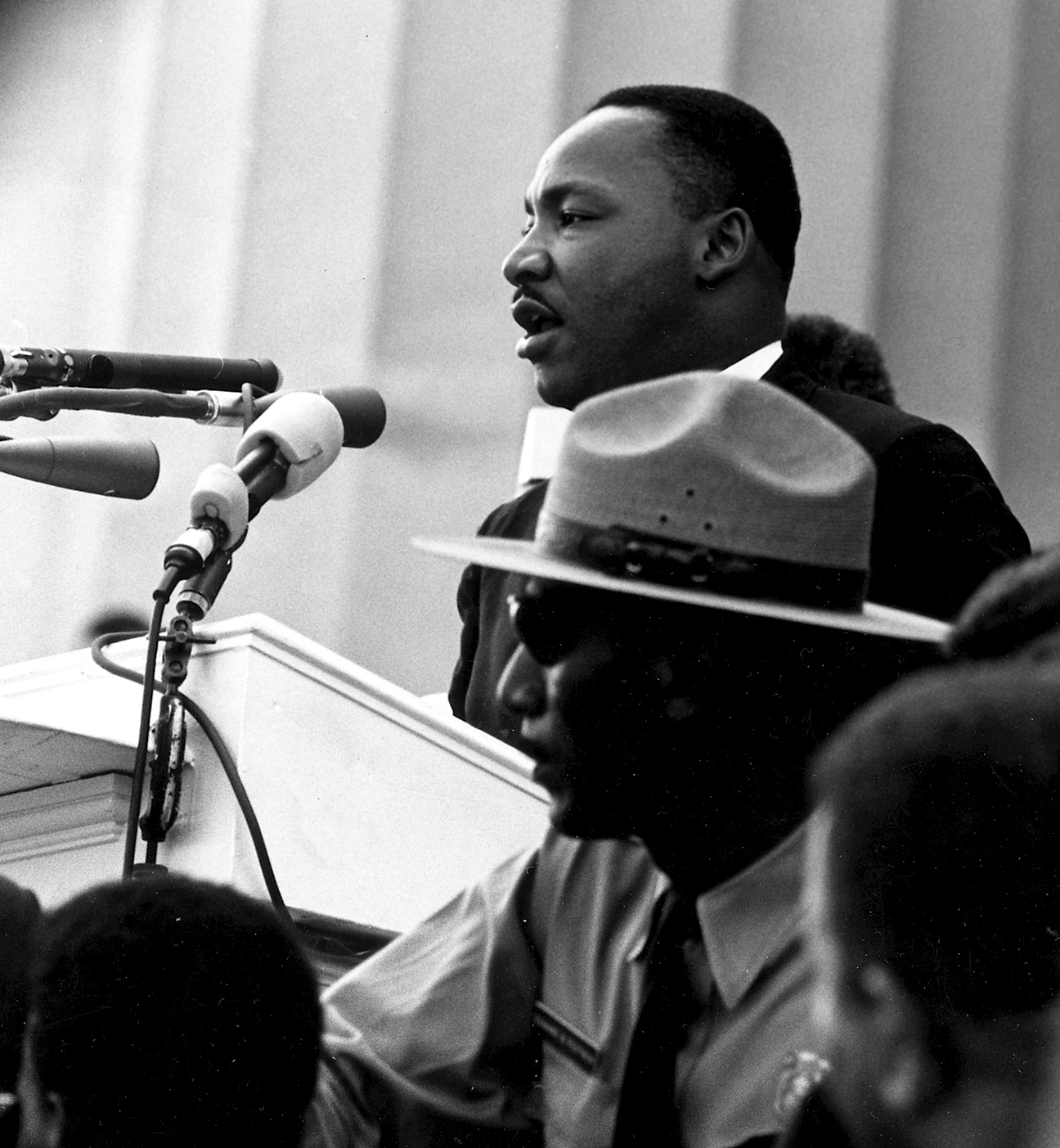
Da Silva's MLK Speech

http://upload.wikimedia.org/wikipedia/commons/8/81/Martin_Luther_King_-_March_on_Washington.jpg

-No Sound


Reflection:

1. The message in MLK's speech is to make freedom and justice a reality, to stop all racism that's happening in this world, and to believe and dream that one day everyone will be free, everyone will get the freedom they deserve. Of the many slides that I have created, the one I think is the most important is when MLK is explaining his dreams and then he says that with this faith, they can work together, pray together, struggle together, jail together, freedom together, and hopefully one day, to be FREE.

2. The creative uses of font that I did in my presentation was I used the 5 tips for better typography which is to changing the font, change the text size when needed, text contrast for example, making some words bold, also changed character and line spacing and the text color.

3. I will use fonts creatively in the future if I may have to do another presentation or an assignment similar to this one.

4. The most difficult part was actually reading the information I had in each slide and either changing the font of words, bolding words that I thought were important, or changing the color of words. Took me at least a month to finish.

5. I converted a PPT into a WMV file by going into powerpoint, clicking "file" which is at the top, going down to "save&send", then "create a movie", and then clicked "create."

6. I might've just choosen a smaller speech so it wouldn't take as long as it took us to finish, but otherwise, it was a good project.

Monday, January 20, 2014

Vina's Photoshop Elements Assignment


This Photoshop assignment was very fun, but tough. Although it was tough choosing what to use when editing, I enjoyed playing around with pictures, and learning what kinds of things can help make a photo became much better. I think I did a good job for my first time using Adobe Photoshop Elements 10. 

Da Silva's Photoshop Element Assignment


During this assignment, I got to learn a whole lot using Photoshop Elements 10. This was my first time using it, but I guess you can say, I did alright. I didn't know how to use most effects or tools at the beginning but I learned and got the hang out it in the end. Overall, I enjoyed doing this assignment and using Photoshop for the first time.

Friday, December 20, 2013

Perry Robles "a Day in my Life"

My life isn't so fun. :P

Wednesday, December 18, 2013

Jessica Hartog: A Day In My Life

Jessica Da Silva's The Camera Project

Monday, December 16, 2013

Jessica and Jaedah's Final Stop Motion: Edwin & The Snowman


This is Jaedah and I's Final stop motion, this project has been super difficult to do because Jaedah lives far away and I have a very busy schedule, so what ended up happening is that I was on facetime with her when she made the video. It was impossible to get together so I tried to help out as much as I would like telling her stuff that i saw from my point of view. It did suck that we couldnt actually get together and do it but we did the best we could with what we got and got it finished.

Tuesday, November 26, 2013

Bethel Jimenez's The Camera

Tuesday, November 19, 2013

Bethel Jimenez's First Stop Motion Animation


My First Stop Motion Animation
This is my first stop motion animation. I did this by taking multiple photos, one shot at a time. When I finished taking my photos I added the pictures to Windows Movie Maker to adjust the seconds of every photo I took. What I like about my movie is that it is creative. I also liked the ending of my movie. What I would want to change are the lighting in every photo and to keep the photos steady.

Thursday, October 10, 2013

Roselle Espino GCT: Skatepark

Monday, October 7, 2013

Bethel Jimenez's Skate Park Presentation

Sunday, October 6, 2013

Skate Park Assignment

Skatepark Field Trip Looking For Lines

Wednesday, October 2, 2013

Kamilah Namit's Shot and Angles PowerPoint

Bethel Jimenez's Shots and Angles PowerPoint

Sunday, September 29, 2013

A Day in My Life Photo Essay

IMG_1436


A Day in My Life Photo Essay
What Makes Me..... ME (Somewhere in this Photo Essay we should know what is important in your life)

1 Create an Set called Photo essay at Flickr.com account with your initials in the name    10

2 Take at least 30 new photos. The 30 photos tell a story about a day in your life and post all 30 on your Flickr Set in the Photo essay . 30

3. Title each photo and add tags, photo essay, first name 15

4. Choose your best 10 and edit them. To edit them at Flickr please use the more tab at the bottom of the screen. At the drop down menu choose Aviary.  You now have the ability to edit your photos. These photos should show proof of editing (post the original and then the edited version, so a total of 40 will be the minimum. The Edited photos should have a different name and the tag edited 20

5. Create a Google Presentation with your best 10 pictures.  Use a slide that has a title and make sure that your photo fills the bottom of the slide.    20

6.Complete assignment by December 19th    15
Total    100

Modified from ….
Original Lesson virginia killmore
http://www.digitalwish.com/dw/digitalwish/view_lesson_plans?id=2089

Skatepark Assignment Looking for Lines


Through a hole

Welcome to your second assignment.  I would like you to have fun during a simple field trip to the Skatepark.

Create a Google Presentation
Title the Presentation Skatepark Field Trip Looking for Lines
Choose to keep only 10 photos from the Field Trip
Add these photos to your Google Presentation.
For each photo you keep explain the composition and the line you were trying to capture.
Remember the Composition is what you intended to do in the photo.
Embed your Google Presentation at the Blog

Edit at least 2 photos in Avery at Flickr
One should be black and white and the other you choose the edit.

Due Monday October 7


October Photo a Day


IMG_9307
Welcome to the Photo a Day Assignment.  While it is titled Photo a Day you are not required to have posted each photo each day (though that is fun!).  By November 1st you will be required to have a 31 image set at Flickr.

  • Create a set a Flickr      user name spmath password is the usual:)
  • Title your set *****'s October Photo a Day (**** is your name)
  • Upload all photos to your Flickr Set
  • tag your photos with the following tags, "October Photo a Day", your name, subject of photo (one word if possible)
This is a fun assignment.  Any device that captures images will do.  Ipod, digital camera, DSLR, phone, you name it you can use it as long as it is able to upload. Remember your rules of composition and try to vary them when capturing your image.

Good luck

Worth 40 Marks Due November 1st.
 Image is from http://wherethebluebirdsnest.blogspot.ca/2011/09/announcement-october-31-day-photo.html. Thanks in Advance.

Monday, September 9, 2013

Shots and Angles Assignments


The Lion Gate of Vancouver   cc image from Flickr The Lion Gate of Vancouver by Trey Ratcliff 

GCT:  SHOTS & ANGLES


TASK
PART ONE: RESEARCH
  • Working with a partner search the internet and read up on the different shots and angles.
  • For each term draw a thumbnail image as well as a definition that you will be able to use as a reference throughout the year Each student will complete this in their photography notebook
  • Include a list of where you found information
** Students must show me complete notes before moving on to part two


PART TWO: PHOTOS
  • Take photos that represent each of the shots, angles and miscellaneous
terms You will be sharing a camera but each student will be expected to take their own photos
  • Create a folder in your u:drive and call it shots & angles
  • Resize your photos so that they are no bigger than 600  and save them in your new folder
PART THREE: POWERPOINT or GOOGLE PRESENTATION
  • Using the photos you took create a PowerPoint presentation each slide should have an image and definition
  • You should have a title slide that includes your name, course title & code, teacher’s name as well as assignment name.
  • Last slide should reference where you found your original information


PHOTOGRAPHY TERMS:
Camera Shots        Camera Angles    Composition        Rule of Thirds
Extreme Long Shot    Long Shot        Medium Shot        Chest Shot
Extreme Close Up    Over the Shoulder     Shot  Two- Shot    Point of View
Eye level        High Angle Level    Oblique Shot


Assessment may change but you will be notified


Assessment:
  • Folder setup… 2 marks
  • Saving procedures … 3 marks
  • Notes/Storyboard … 5 marks
  • Power Point presentation … 32 marks


    Be sure to embed your Presentation at the blog.